Choose your night.
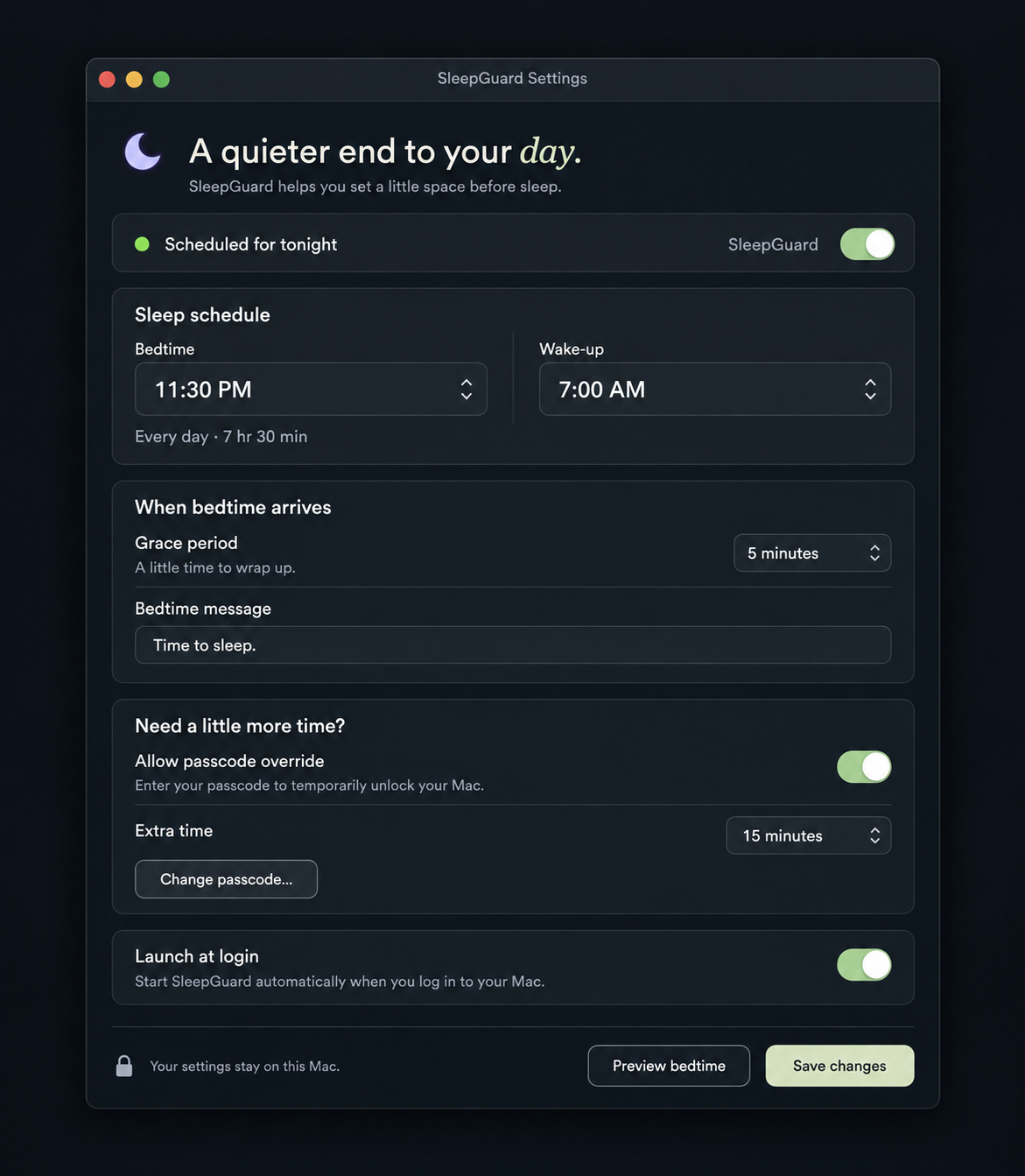
Set bedtime and wake time. SleepGuard follows your schedule, even after you close Settings.
 SleepGuard
A bedtime for your Mac
A quiet moonlit sky. A little space before “one more.” Give your screens a stopping point.
Free. No account, no purchase. macOS 14+
Less to do. More room to rest.
Set bedtime and wake time. SleepGuard follows your schedule, even after you close Settings.
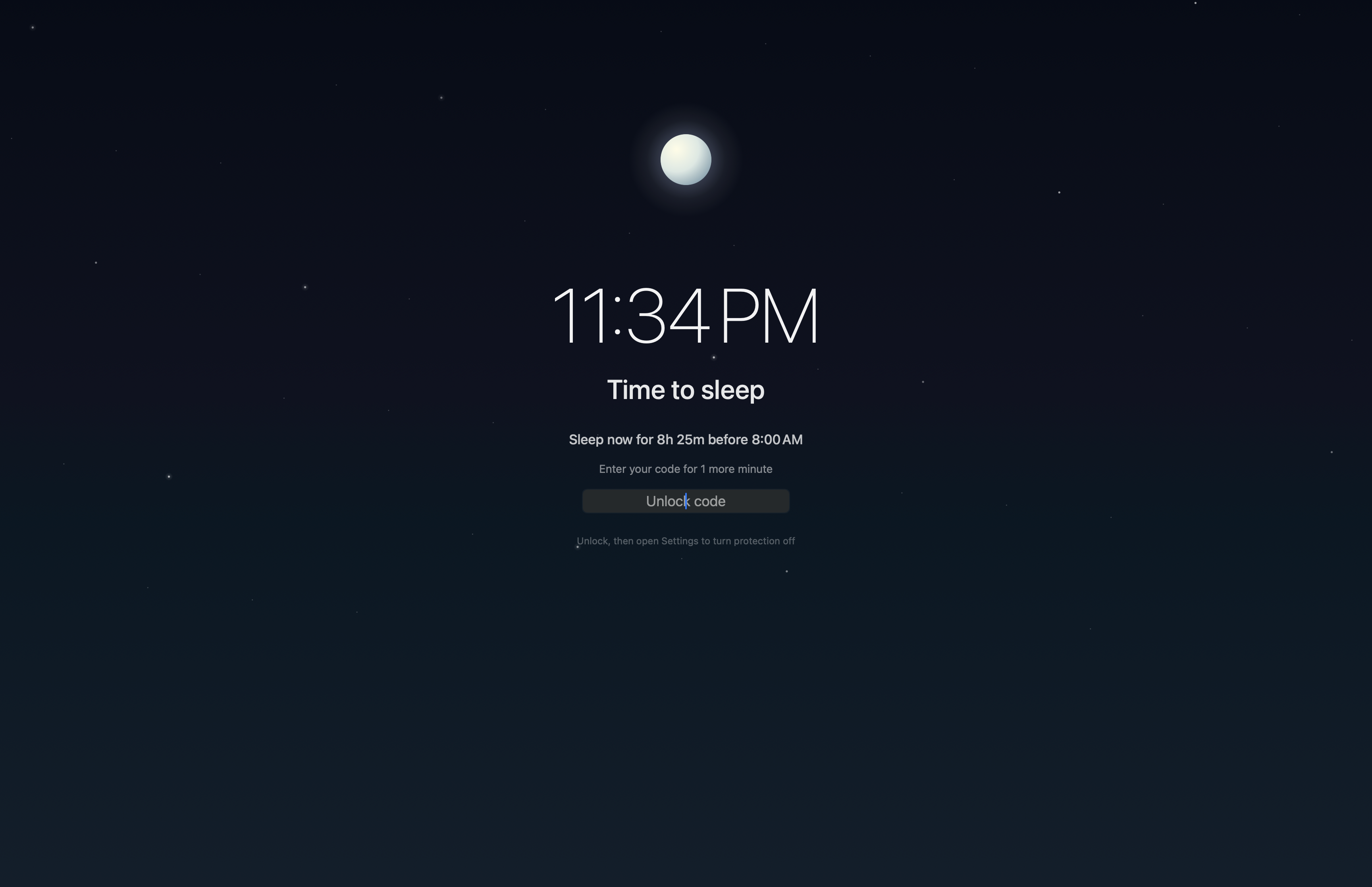
A glowing moon and quiet stars cover your screens. See how much time is left until morning.
Enter your passcode for a short grace period. When it ends, the night sky returns.
A moment to pause
Need to finish something? There’s a way through. Try the passcode below and feel how grace works.
Interactive illustration. Five-second grace for this demo.
Tomorrow will thank you.
Enter 1234 for a 5-second demo of grace.
Unlock, then use Settings to turn protection off.The app, as it is
Tonight can be different
Your schedule stays on your Mac.
No account. No tracking. Just SleepGuard.
Protection runs in the background.
You can pause it or turn it off in Settings.
Ad-hoc signed · Not notarized
First open: drag SleepGuard to Applications, then right-click → Open. If macOS blocks it, use System Settings → Privacy & Security → Open Anyway. This build is not notarized by Apple. Need help? [email protected]
b890410b1e41f4a4a99d26db147a30cede54b4db2e744309d33f7d45980df7f4Before you call it a night
A moonlit overlay covers every display. Your main display shows the clock, your message and a passcode field. The background agent keeps enforcing your schedule when Settings is closed or the menu icon is hidden.
Enter your passcode for your chosen grace period. The overlay returns when grace ends. To stop protection, unlock and open Settings, then choose Turn SleepGuard off. Pausing or turning off during your sleep window requires the passcode.
Yes. A schedule like 23:30 to 08:00 ends the next morning, using your Mac’s local time. Equal bedtime and wake time means the schedule is never active.
No. SleepGuard is a voluntary boundary, not parental control or a security lock. Someone comfortable with Terminal can unload the background agent. Command-Q does not dismiss the overlay, but your passcode and the Settings off switch provide the normal way out.
Your schedule, message and passcode hash are stored locally. SleepGuard has no analytics or cloud account. It doesn’t track your sleep or promise a particular sleep outcome.
This release is ad-hoc signed and has not yet been notarized by Apple. Follow the first-open instructions beside the download. We’ll update the signing status when a notarized release is available.
A LITTLE SCIENCE. A REASON TO PAUSE.
Phone notifications disrupted performance on an attention task even when participants did not handle their phones. Separate research found that social rewards influenced when people posted on social media. These studies did not test SleepGuard.
Read the research: Stothart et al., 2015 · Lindström et al., 2021
Light at night can suppress melatonin and shift the body’s daily rhythm. In the research described here, blue light had a stronger effect than green light at comparable brightness. This is research about light exposure, not evidence that SleepGuard improves sleep.
Read the research: Harvard Health · Blue light and sleep